Home / Setup
The virtual microphone
Voicemod Pro installs a recording device. Games and chat apps never load the voice model — they only hear that device. If the name in Discord is still your headset, Pro is idle.
Download for Free How to download
ZIP password: voicemod
- Windows & macOS
- Discord, games, OBS
- Voice changer + soundboard
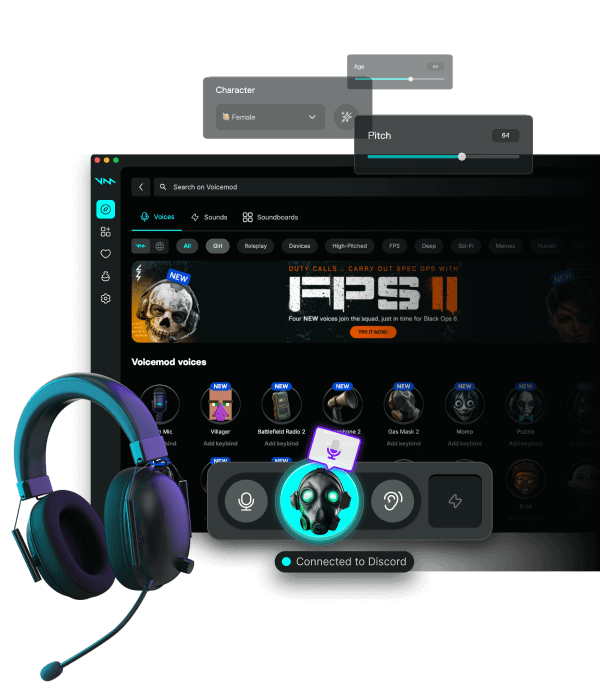
Where it appears
Windows Sound → Recording. macOS System Settings → Sound → Input. After install, reboot once if the device is missing. Disable exclusive mode on USB headsets.
Noise suppression, boost, echo
Use Pro's suppressor or Discord's, never both. Boost in Pro, not in Windows, to avoid clipping the virtual device. Headphones, not speakers, while a mask is live — AEC fights the effect.
Latency and CPU
Smaller buffer for shooters, fewer studio modules, close Bluetooth. AI voices cost cores. NVIDIA Broadcast plus Pro often means two noise AIs — pick one. Sonar and Voicemeeter can sit in the chain if you do not loop cables.
Sample rate
48 kHz on headset, Pro, and the chat app. 44.1 vs 48 sounds like static on some Realtek chips.
FAQ
Installing Voicemod is not enough?
Correct. Every app has to select the virtual microphone or follow the OS default you set.
Phone or console?
They do not see the desktop virtual mic unless a PC sits in the middle.