Home / Games
Game voice chat through Voicemod Pro
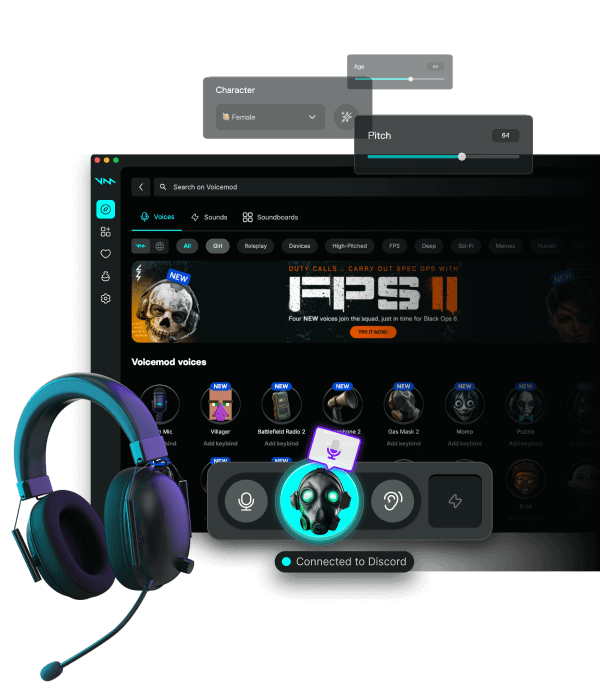
Most shooters and party games do not load a Voicemod plugin. They listen to whatever Windows (or the in-game device list) calls a microphone. Set that to Voicemod Pro, then launch. This hub replaces the old per-game doorway pages — Valorant, Fortnite, Roblox, CS2, Minecraft, League, Warzone, and the rest follow the same path.
Download for Free How to download
ZIP password: voicemod
- Windows & macOS
- Discord, games, OBS
- Voice changer + soundboard
Set the OS device first
On Windows, Sound → Recording → Voicemod as default communication device. Do this before anti-cheat starts. On macOS, System Settings → Sound → Input. If the game has its own picker (Fortnite Audio, Warzone Voice Chat Device), choose Voicemod there too — Default is not always enough.
Valorant, CS2, Warzone, Apex
Tactical titles cache the mic from the last session. After install, fully quit the client, set Voicemod, then open. Turn off the game's extra noise gate while a mask is live. Keep a clean-mic hotkey for ranked so callouts stay readable.
Fortnite, Roblox, Minecraft, League
Roblox and many Java/Bedrock setups only see the OS default. Fortnite and League often list devices in audio settings — pick Voicemod, leave the party, rejoin. Soundboard clips ride the same virtual mic; bind keys that do not fight builds or shop hotkeys.
RP and proximity (GTA, VRChat, Phasmophobia)
Proximity voice still works. You are only changing timbre, not range. Do not impersonate a real person. Console parties on PS5/Xbox cannot see the Windows virtual mic without a PC mix.
Skip random EXE files
Game voice plus a random EXE from a chat is how accounts get stolen. Download Voicemod Pro from this site, then come back to this checklist.
FAQ
Does Voicemod Pro work in Valorant?
Yes, as a virtual microphone. Set it as the Windows default, then confirm Valorant uses Default Device — not the headset name.
Will anti-cheat ban a voice changer?
Voicemod Pro is a recording device, not a game inject. Still follow each publisher's rules. We do not ship overlays into the game process.
Where did the Fortnite / Roblox / CS2 pages go?
They now 301 here. One quality guide beats dozens of thin copies.