Home / Voices
Real-time voice changer
Voicemod Pro changes your voice while you talk. Discord, games, and OBS hear a virtual microphone — not a bounced file. Anime, robot, helium, deep, horror, radio, male/female formant, and AI packs all land on that one device.
Download for Free How to download
ZIP password: voicemod
- Windows & macOS
- Discord, games, OBS
- Voice changer + soundboard
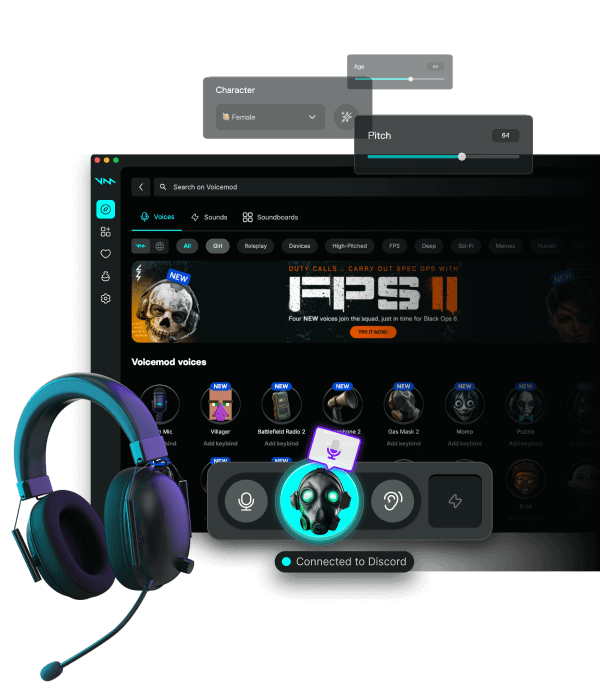
How the changer reaches other apps
Install, pick a voice, listen in the monitor, then set Discord or the game to Voicemod. You are not loading a VST into Valorant. If the app still shows your headset name, Pro is installed but not selected.
Classic filters vs AI voices
Pitch, formant, EQ, and radio-style bands are light. AI voices cost more CPU — close extra browsers on a laptop and keep a classic preset as backup for ranked. Download packs in the app; this site does not host voice files.
Anime, robot, helium, bass
Start modest. Extreme pitch plus Discord noise suppression turns words into chipmunk noise. Bass masks like a high-pass so the call does not duck you. Keep a clean profile one key away.
Studio stacks
Voicelab-style chains (reverb, delay, extra EQ) belong on a stream or party preset, not on a two-hour raid. Bypass the chain without quitting Discord.
Ethics
Comedy masks are fine. Do not clone a real person to scam or impersonate. Streaming TOS still applies to the words you say.
FAQ
Is Voicemod Pro a real-time voice changer?
Yes. Processing is live on the virtual mic. Offline editors that bounce a take are a different tool.
Can I use anime or robot voices in Discord?
Yes. Select Voicemod as Discord input, disable Discord's own suppression while the mask is on.
Where are the old anime/robot pages?
They redirect here so we do not rank 10 copies of the same five sentences.